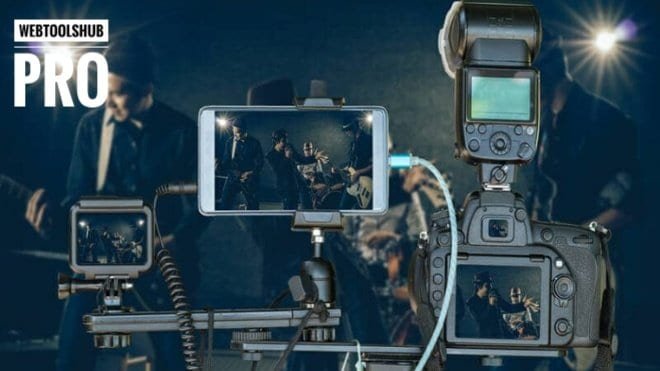
A decade ago, broadcasting a live football tournament or a competitive multiplayer mobile gaming event required a million-dollar Outside Broadcast (OB) van, miles of SDI cables, and dedicated satellite uplinks. Today, the landscape of live video production has been completely democratized. In 2026, a skilled digital engineer can architect a flawless, multi-camera live broadcast using nothing more than a local wireless network, a fleet of smartphones, and standard broadcasting software.
However, bridging the gap between a basic webcam stream and a television-grade multi-camera production requires deep technical knowledge of video encoding, low-latency network protocols, and real-time graphics rendering. In this advanced technical guide, we will deconstruct the exact architecture needed to build a professional, low-latency live streaming studio using OBS (Open Broadcaster Software) and mobile network feeds.
1. The Hardware Bridge: Mobile Phones as Professional Broadcast Cameras
Purchasing ten professional DSLR cameras and hardware capture cards for a local sports broadcast is financially crippling. Instead, modern broadcast engineers leverage the incredibly powerful optical sensors already present in modern smartphones.
By utilizing technologies like NDI (Network Device Interface) or specialized apps like Prism Live Studio, you can wirelessly transmit 1080p or 4K video feeds from up to 10 mobile phones directly into your main OBS Studio machine. This allows you to position cameras across a football field or around a gaming arena without running a single physical cable.
2. Network Telemetry & Low-Latency Protocols
In live broadcasting, latency is your absolute worst enemy. Whether you are streaming to YouTube Live, Twitch, or a custom RTMP server, you cannot afford jitter or dropped frames.
Traditional satellite television operates with a noticeable delay, but modern digital audiences expect real-time interaction, especially when betting or live-chatting on sports events. To achieve sub-second latency, you must abandon standard TCP protocols and explore SRT (Secure Reliable Transport) or WebRTC.
Before you even click “Start Streaming” in OBS, you must rigorously audit your network’s outbound capacity. A 1080p60 stream requires a constant, unwavering upload speed of at least 6,000 to 8,000 kbps. Use an enterprise-grade Internet Speed Test to measure not just your raw upload bandwidth, but your network jitter and ping spikes. Furthermore, if you are routing your stream through a custom web dashboard, utilize a Web Speed Test to ensure your server can handle concurrent viewer connections without crashing.
3. Visual Engineering: Alpha Channels and Browser Overlays
A raw video feed is boring. Professional broadcasts are defined by their graphics: dynamic scoreboards, lower-thirds, sponsor logos, and player statistics.
In OBS Studio, the most efficient way to render these graphics without exhausting your CPU is by using Browser Sources. You can code a dynamic scoreboard using HTML, CSS, and JavaScript, and overlay it directly onto your video feed.
For static assets like team logos or sponsor graphics, transparency is non-negotiable. You cannot broadcast a logo with an ugly white background box. Instead of wasting time in heavy editing software, pass all your graphical assets through an AI-powered Background Remover to extract clean, alpha-channel PNGs or WebP files. This ensures your graphics blend seamlessly into the live action.
4. Sponsorship Distribution and Post-Stream VOD SEO
Live streams are highly lucrative if monetized correctly. During a local tournament broadcast, you will likely display sponsor links or affiliate products on screen. Flashing a massive, complex URL on a live broadcast is useless because viewers cannot click it.
- Link Management: Always run your sponsor URLs through a URL Shortener to create a clean, memorable link (e.g., yourdomain.com/sponsor).
- Pitch Decks: When pitching local businesses to sponsor your live broadcast, you need professional media kits. Compile your channel statistics, demographic data, and pricing tables into a secure document using an Image to PDF Converter to present a highly professional image.
Finally, once the stream ends, it becomes a VOD (Video on Demand). A 3-hour long stream titled “Stream 01” will get zero organic views. To rank your recorded broadcast in search results, you must optimize its metadata instantly. Generate a highly clickable title using a YouTube Title Generator and extract LSI keywords using a Tags Creator to ensure long-term algorithmic discoverability.
Frequently Asked Questions (FAQs)
What is the best bitrate for a 1080p live stream?
For a fast-paced sports or gaming broadcast at 1080p 60FPS, YouTube recommends a video bitrate between 4,500 and 9,000 kbps. However, you must ensure your ISP provides a stable upload speed of at least 15 Mbps to prevent buffering.
Why does my OBS stream look pixelated during fast motion?
Pixelation during fast camera panning (like following a football on a pitch) is caused by an insufficient bitrate or a fast CPU preset. If your hardware allows, switch your encoder from x264 to a hardware encoder like NVIDIA NVENC and increase your bitrate.
Can I use a smartphone as a main camera in OBS?
Absolutely. Modern flagship smartphones often have better image processing than entry-level DSLRs. By using NDI apps or capturing the clean HDMI output via a capture card, you can easily integrate mobile lenses into a professional broadcast matrix.
How do I sync audio if my wireless cameras have a delay?
Wireless video feeds (like NDI over Wi-Fi) inherently have more latency than a direct USB microphone. In OBS Studio, you can access the Advanced Audio Properties and apply a Sync Offset (in milliseconds) to your audio source to match the visual delay of your cameras.
Conclusion
The era of gatekept broadcasting is over. With the right combination of high-speed networking, mobile camera feeds, and real-time graphics rendering in OBS Studio, anyone can architect a television-grade live production. The secret lies not in expensive hardware, but in meticulous system engineering, low-latency protocols, and professional visual assets.
Stop relying on basic webcam streams. Architect a multi-camera matrix, optimize your bandwidth, and deliver a visual experience that commands attention and premium sponsorships.
Streamline your live broadcasting workflow by generating clean transparent overlays, managing sponsor links, and testing your network stability using the advanced tools at WebTools HUB.